Gravel Road Management Softwarefor Rural POAs, HOAs, Townships & Road Districts

Groom is designed for rural POAs and HOAs, townships, road districts, and county road departments managing unpaved networks where the crew is small, the budget is tight, and paper records are the norm.
If you're currently tracking your road inventory in a spreadsheet, culvert inspections in a binder, and storm costs in your head — Groom replaces all of it.
Built for communities managing 5–100 miles of dirt & gravel roads  ·  Browser-based  ·  Nothing to install  ·  Up and running in a day

Everything on one map — exactly what you need, when you need it

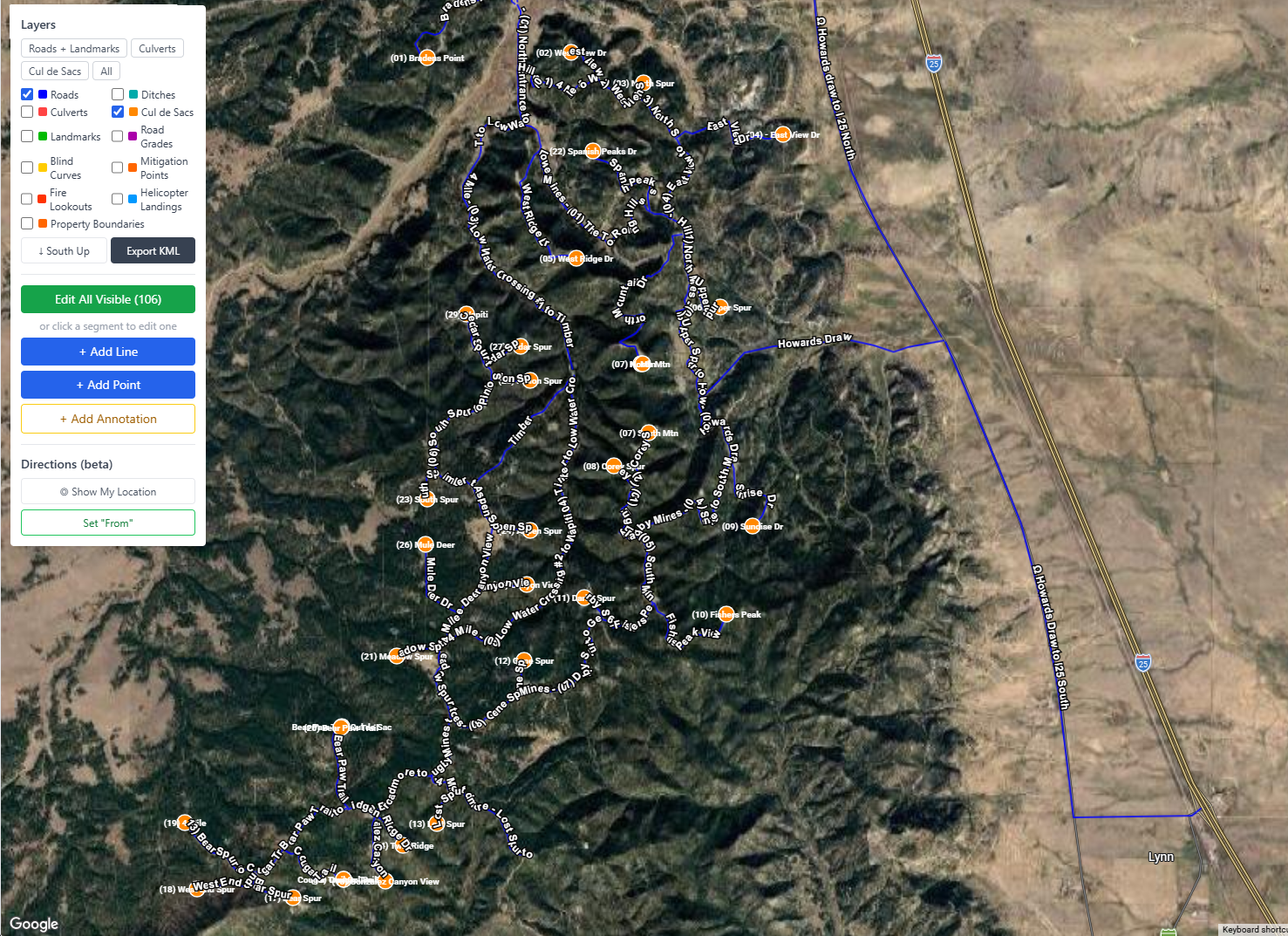
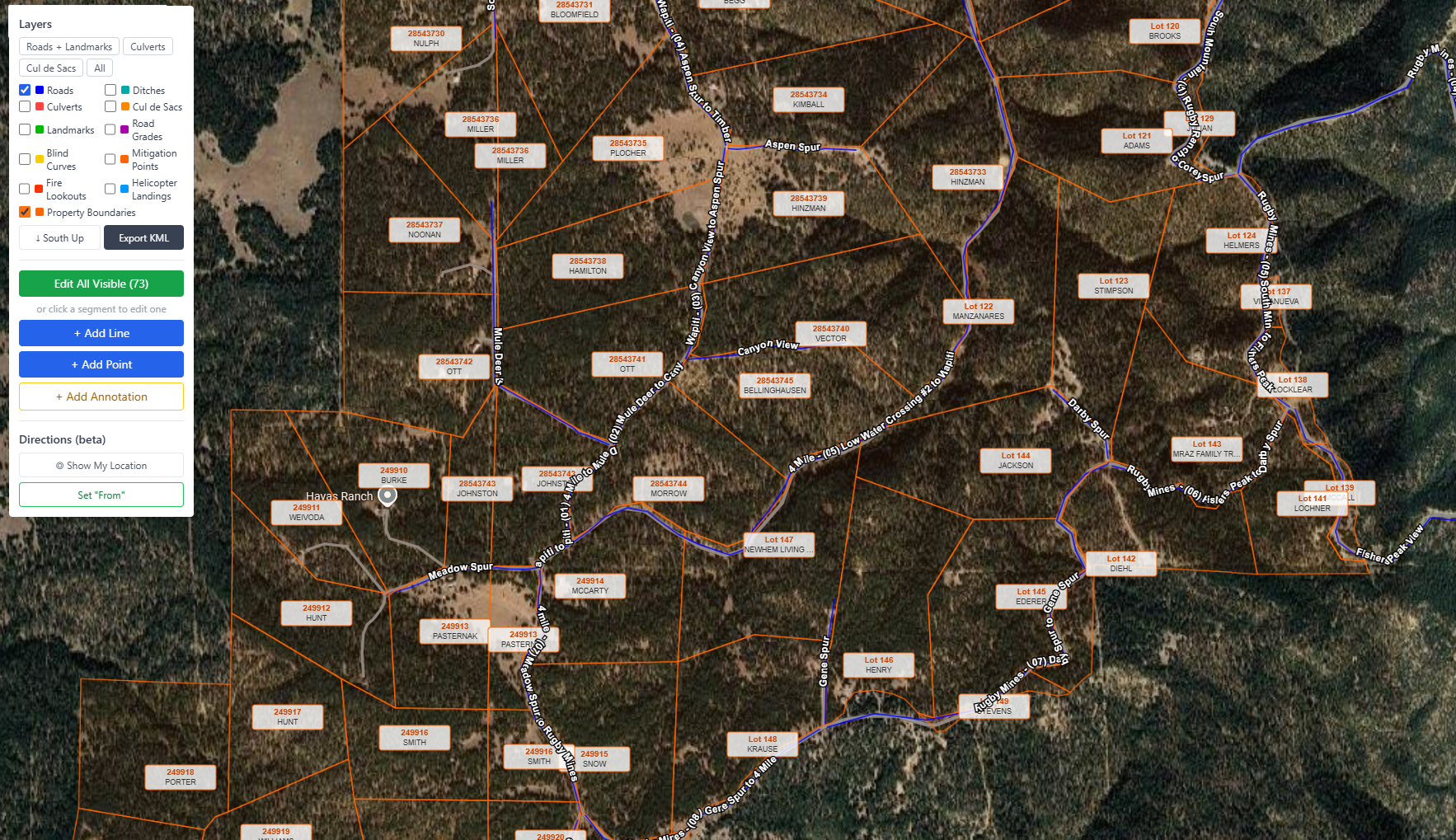
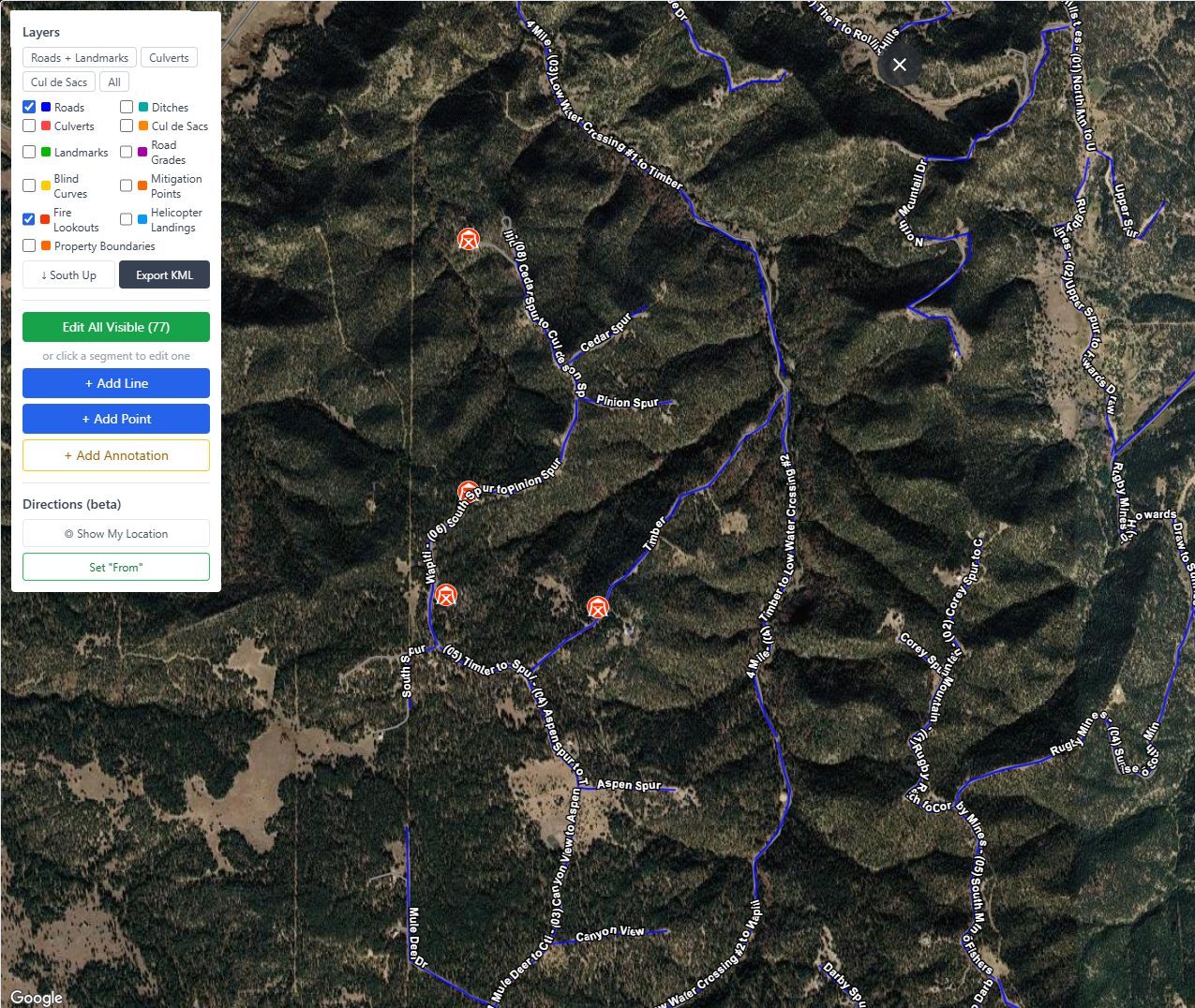
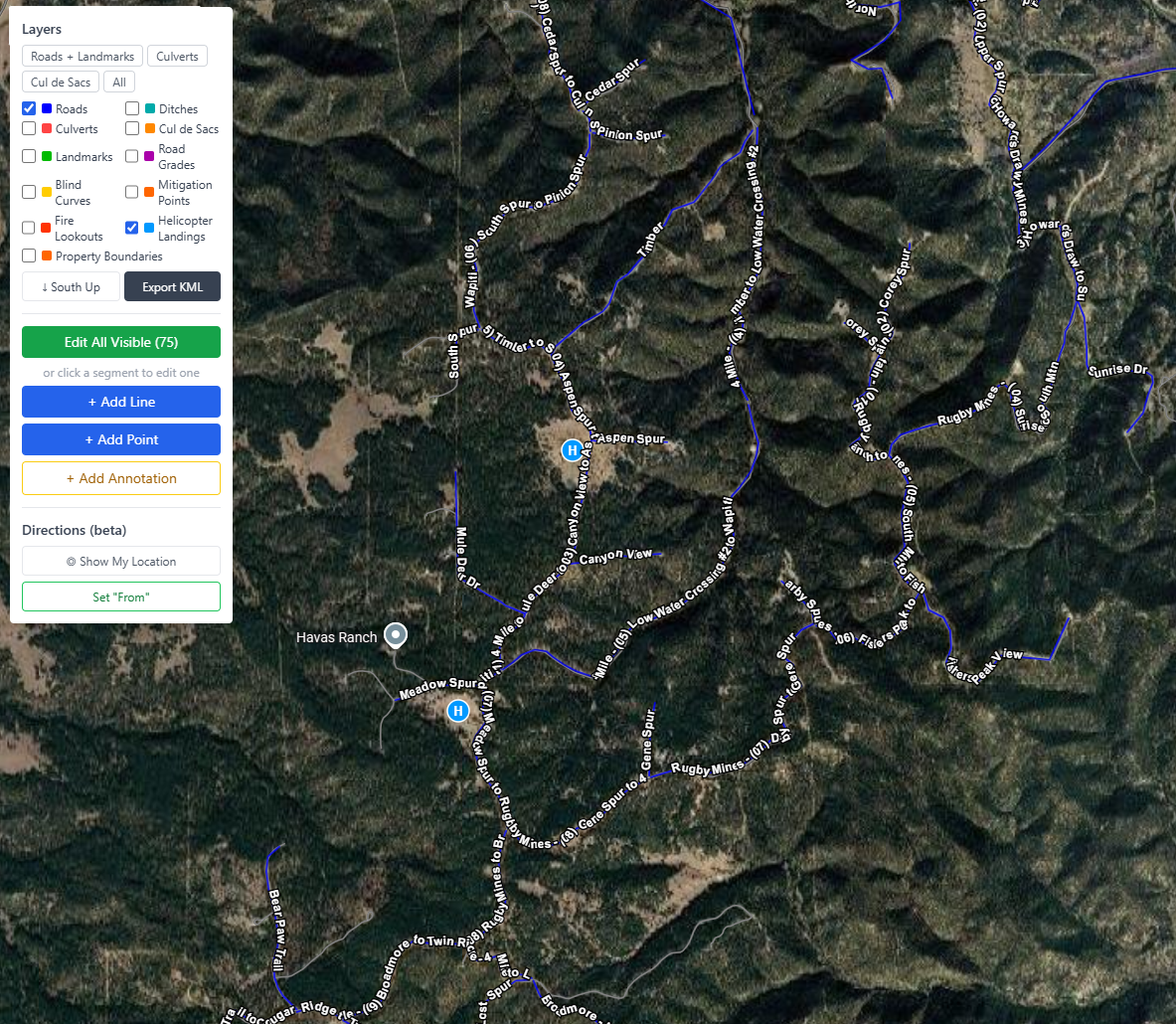
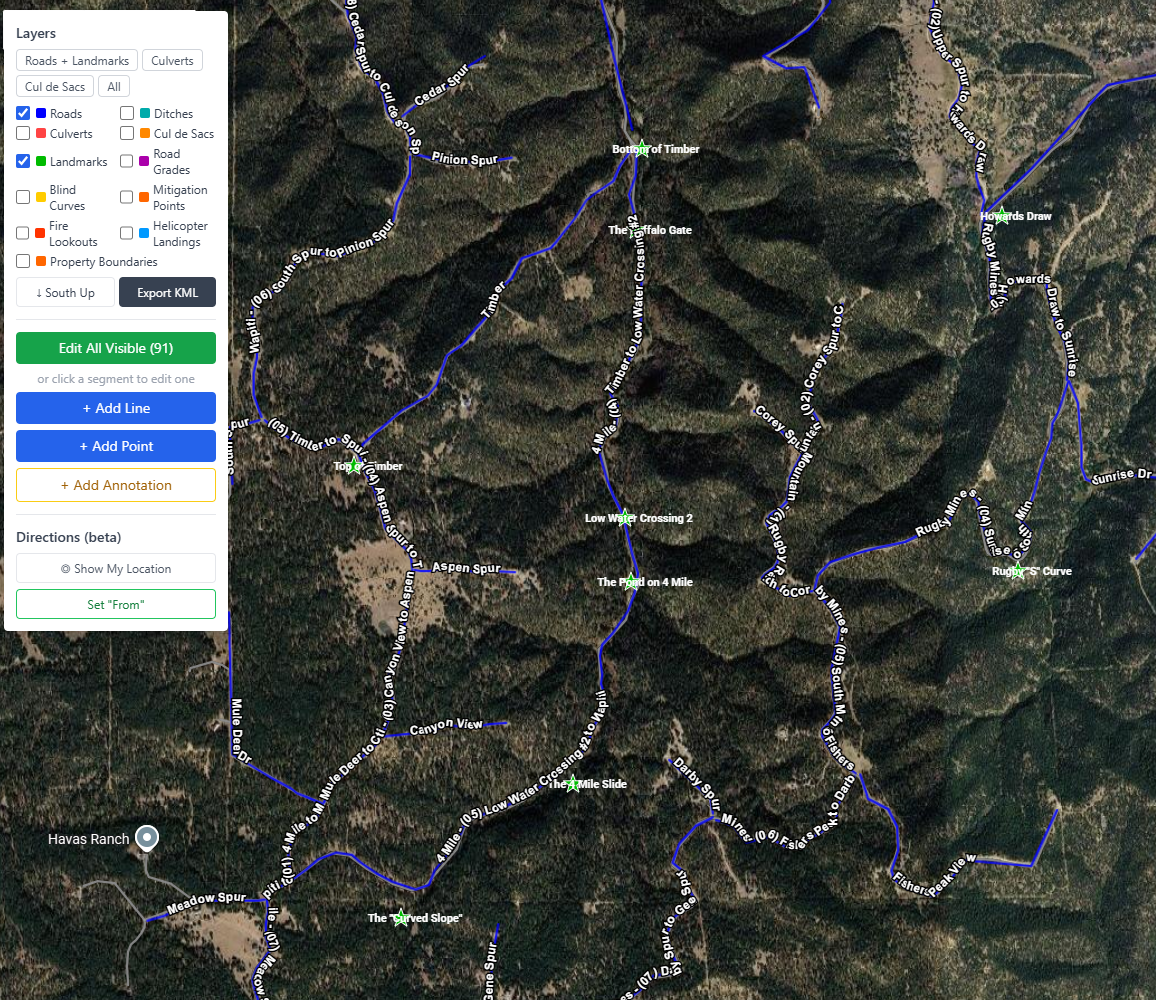
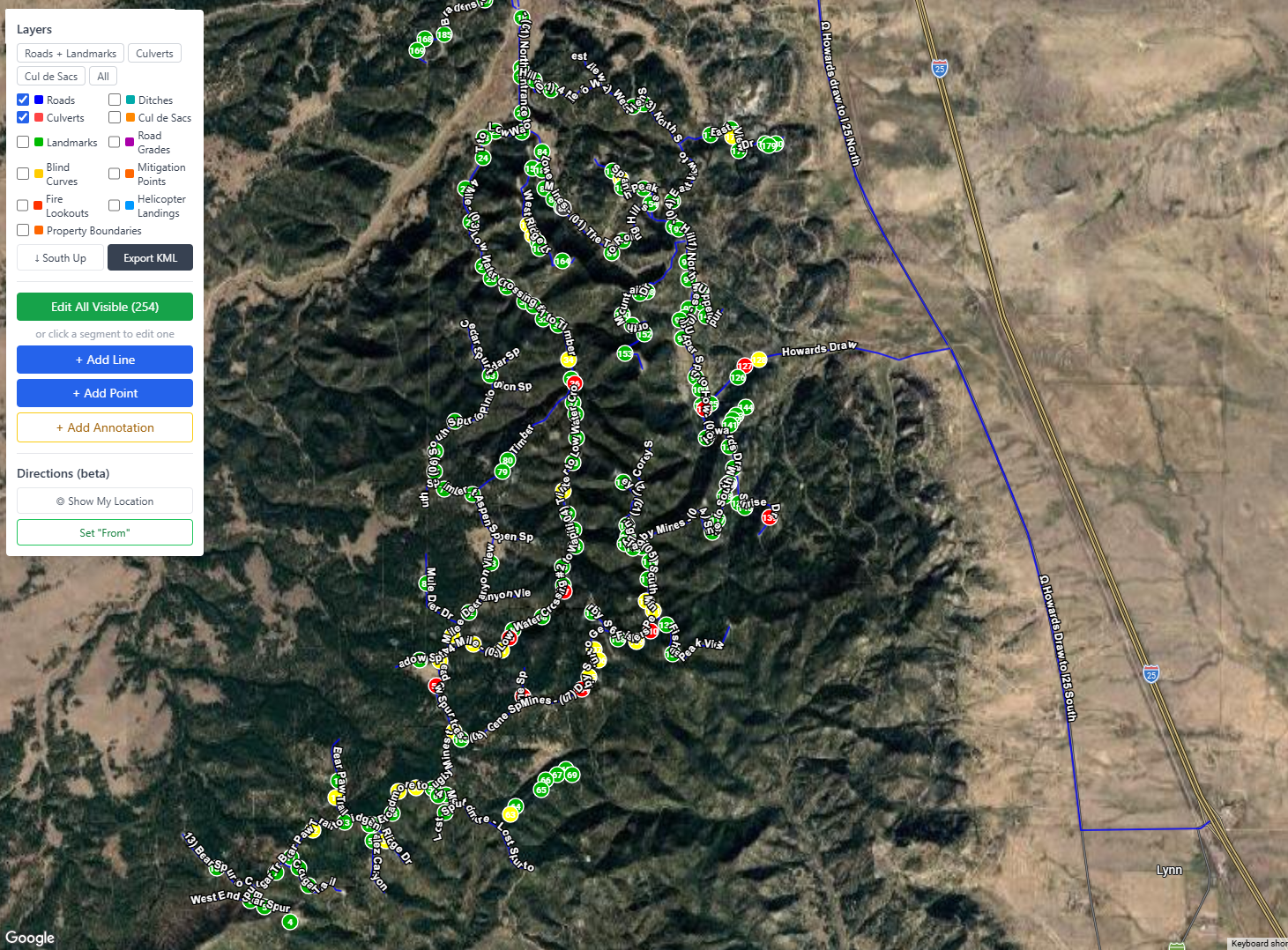
One map. One control panel. Toggle any combination of assets with a checkbox and your full road network comes to life. No GIS training required.
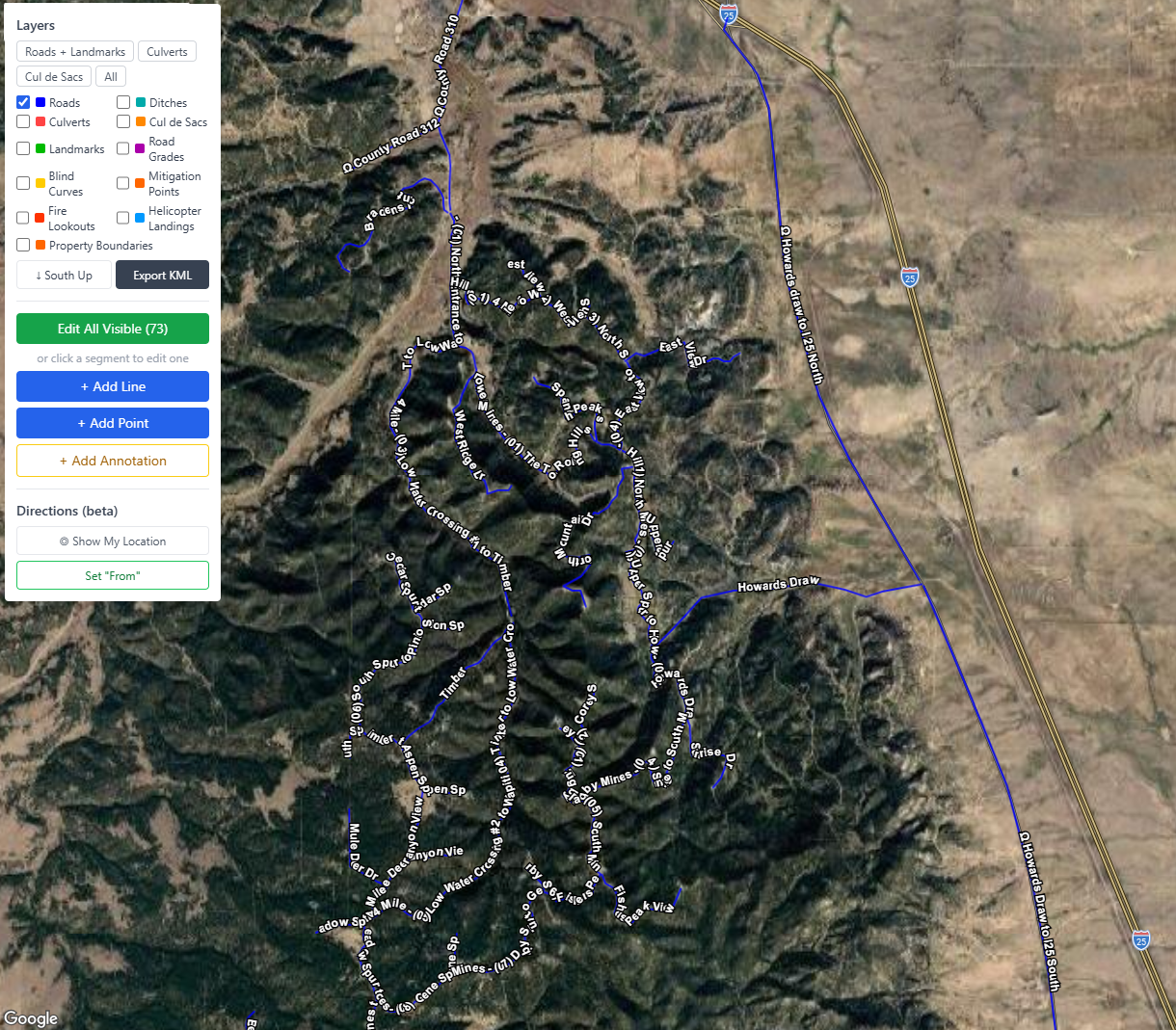
GROOM gravel road management — satellite map showing full road network with condition-coded segments
Road Network
GROOM road management — satellite map with culvert locations overlaid on gravel road network
Road Network — Culverts
GROOM road management — satellite map showing cul de sac turnaround locations on rural road network
Road Network — Cul de Sacs
GROOM road management — satellite map with property boundary parcel overlays on rural road network
Road Network — Property Boundaries
GROOM road management — satellite map showing fire lookout tower locations for wildfire emergency response
Road Network — Fire Lookouts
GROOM road management — satellite map with helicopter landing zone locations for emergency access planning
Road Network — Helicopter Landing Sites
GROOM road management — satellite map with virtual landmark markers for field crew navigation
Road Network — Virtual Landmarks

Take the map into the field — even with no signal

Your whole road network on a phone or tablet, built for the truck. Install it once and it works anywhere on the property, online or off.
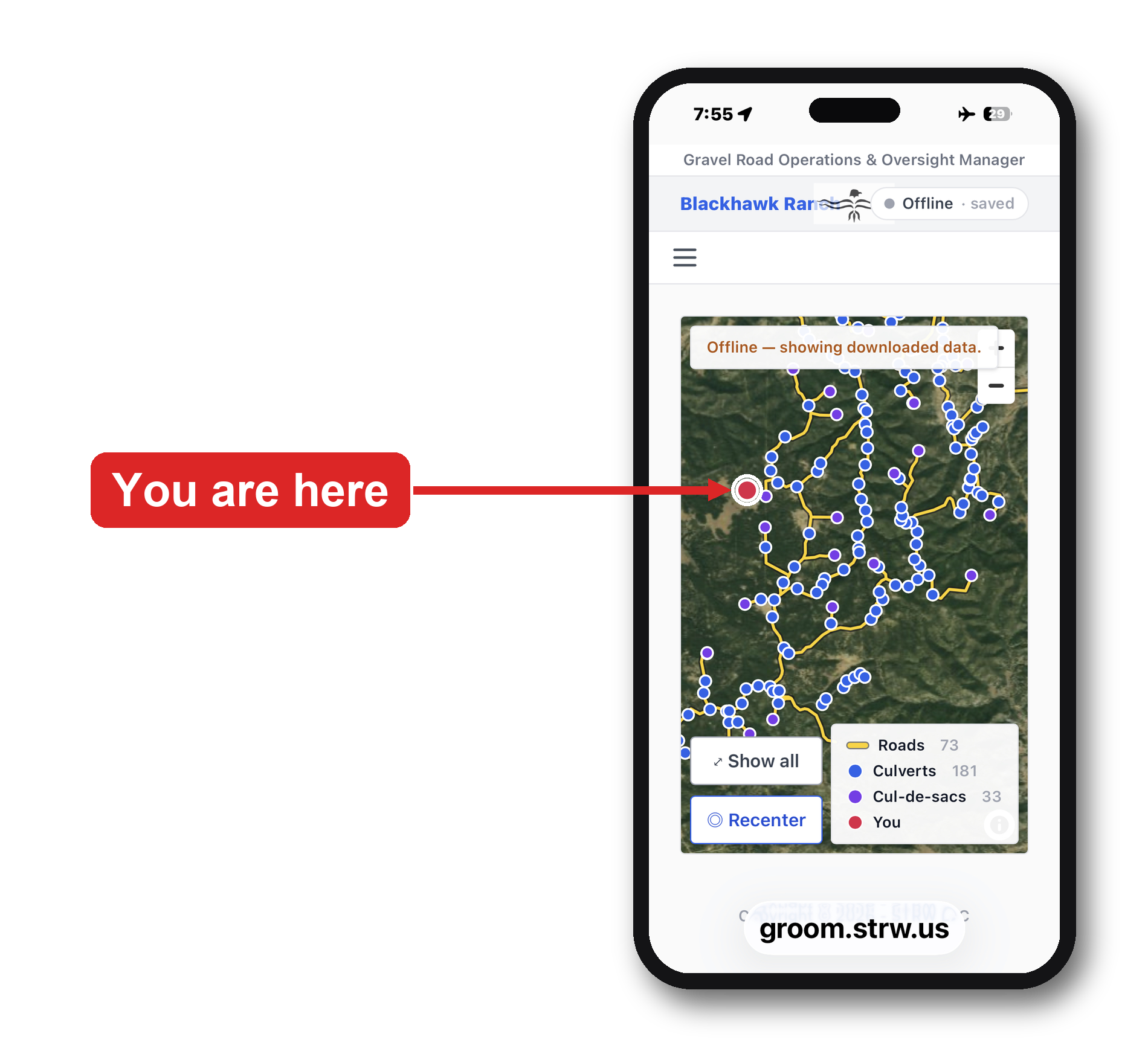
GROOM Field Map on a phone — offline satellite map of the gravel road network with a live GPS 'you are here' marker
  • Works fully offline — no cell service needed, anywhere on the property
  • Live GPS shows exactly where you are on your roads
  • Roads, culverts, and cul-de-sacs downloaded to the device ahead of time
  • Edits sync automatically when you're back online
  • Installs on any phone or tablet — nothing to download from an app store

Every tool your roads crew needs, organized in one place

Groom's navigation is organized into focused tabs — from day-to-day asset management to advanced utilities — so the right tools are always one click away.

Assets — Roads, Culverts, Cul de Sacs
GROOM navigation — Assets menu showing Roads, Culverts, and Cul de Sacs management for rural road districts
Extras — Events, Mitigation & More
GROOM navigation — Extras menu with snowplow events, wildfire mitigation, ditch inspection, and emergency management
Reports — Budget, History & Planning
GROOM navigation — Reports menu including budget overview, budget advisor, work order history, and culverts by road
Table Maintenance — Lookup Data
GROOM navigation — Table Maintenance admin section for managing conditions, maintenance types, and work order statuses
Utilities — Admin & Data Tools
GROOM navigation — Utilities section with KML import and export tools for Google Earth integration
Documentation — Manuals & Plans
GROOM navigation — Documentation section with user manual, policy and procedures, and self-guided tour

Every asset. Tracked. Searchable. Always current.

Replace the binder. Your complete road network inventory is always one click away — filterable, sortable, and printable.
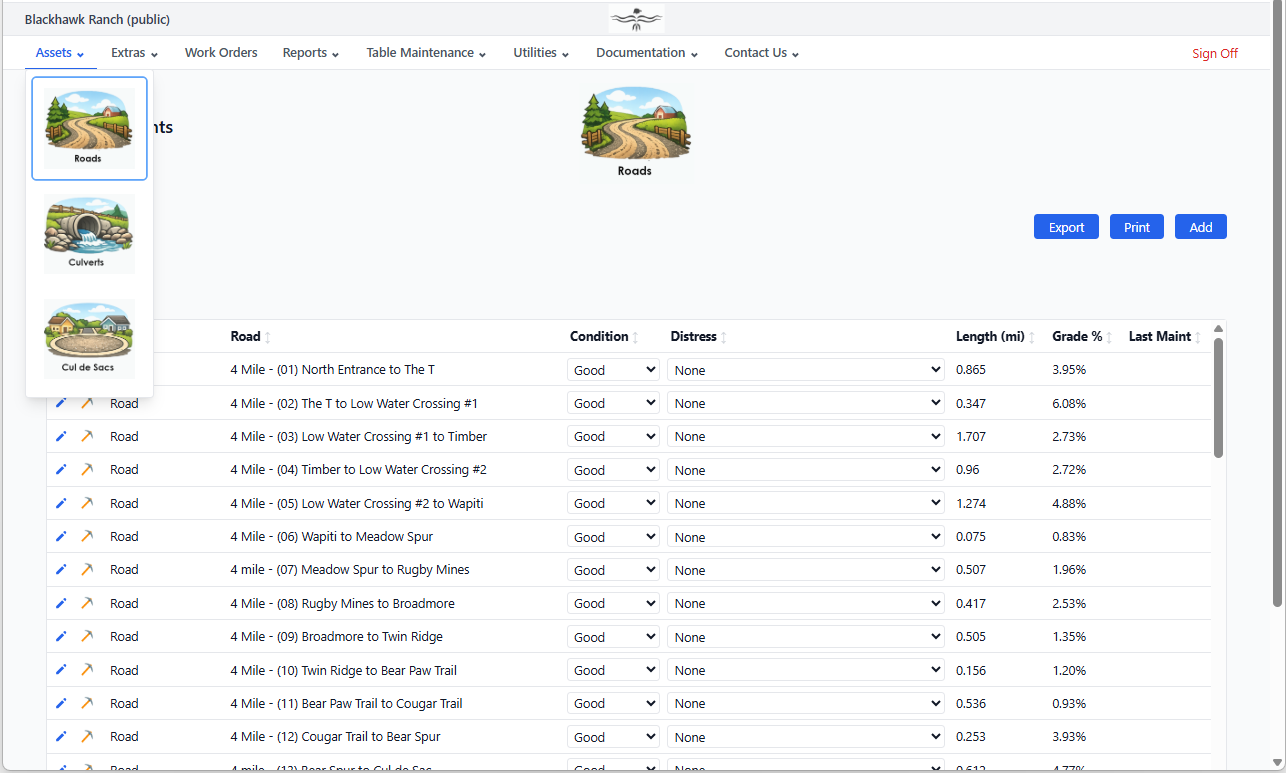
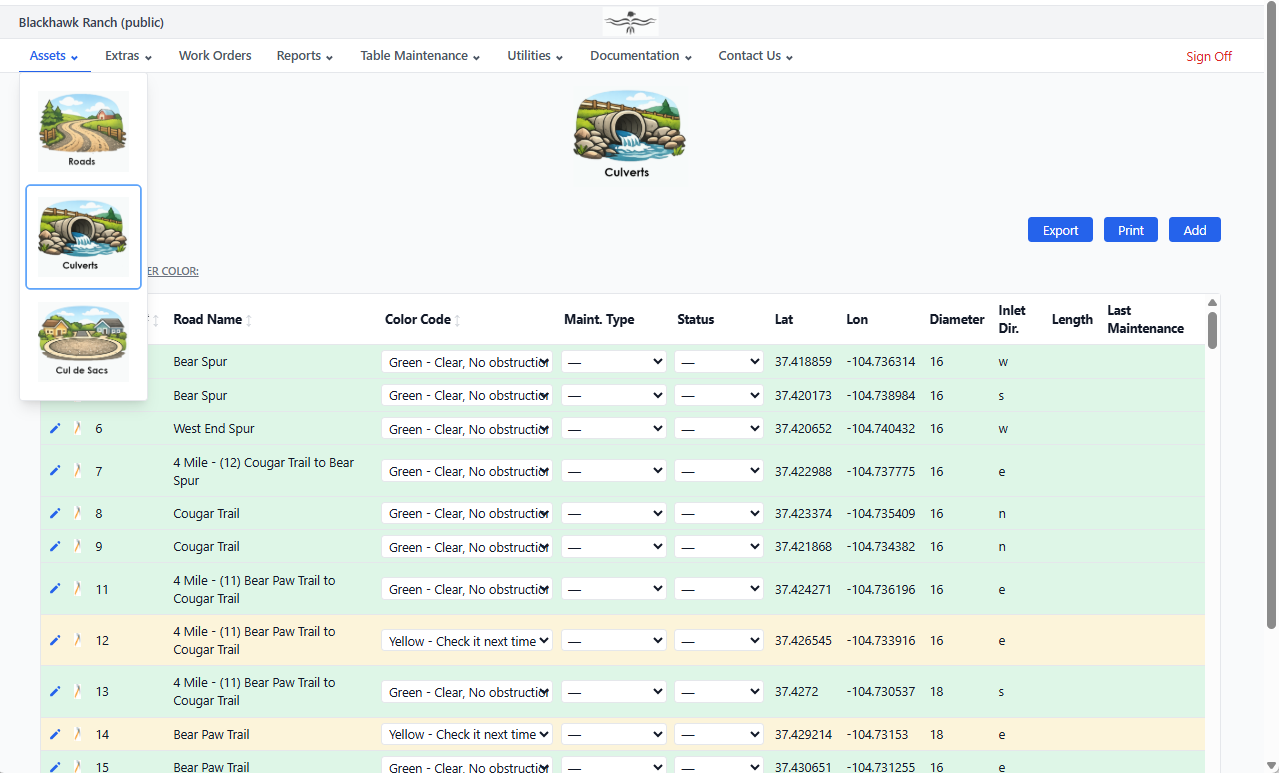
Road Inventory — Every segment with condition ratings, surface type, length, and maintenance history
GROOM gravel road inventory — road segments with condition ratings, surface type, length, and maintenance history
Culvert Inventory — Condition, size, material, and inspection history on every culvert
GROOM culvert inventory — culverts with condition color codes, pipe dimensions, and maintenance status
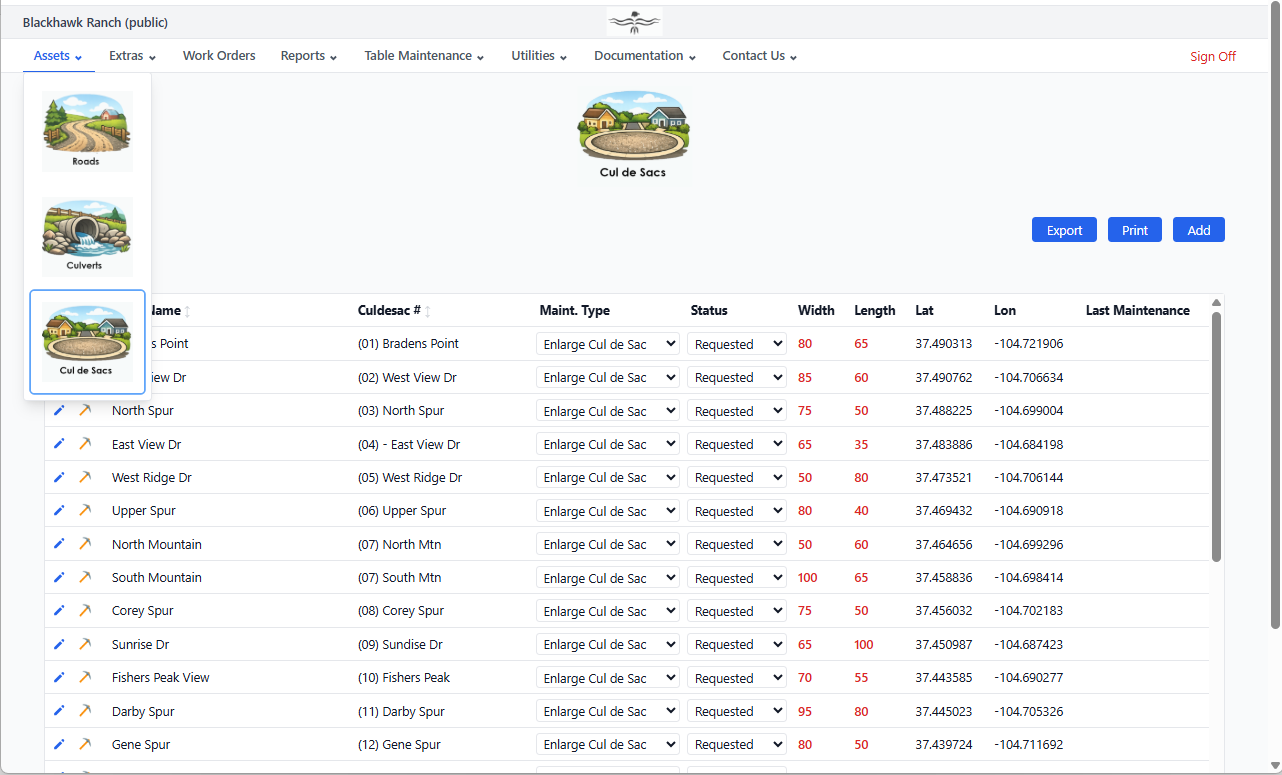
Cul de Sac Inventory — Condition data and linked maintenance records for every turnaround
GROOM cul de sac inventory — turnarounds with condition data and linked maintenance records

Walk into every board meeting with the answer

Groom tracks every dollar — materials, labor, estimated and actual — across roads, snowplow, EMC, and other programs.
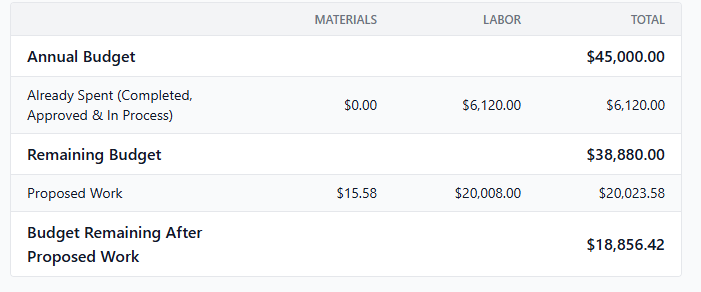
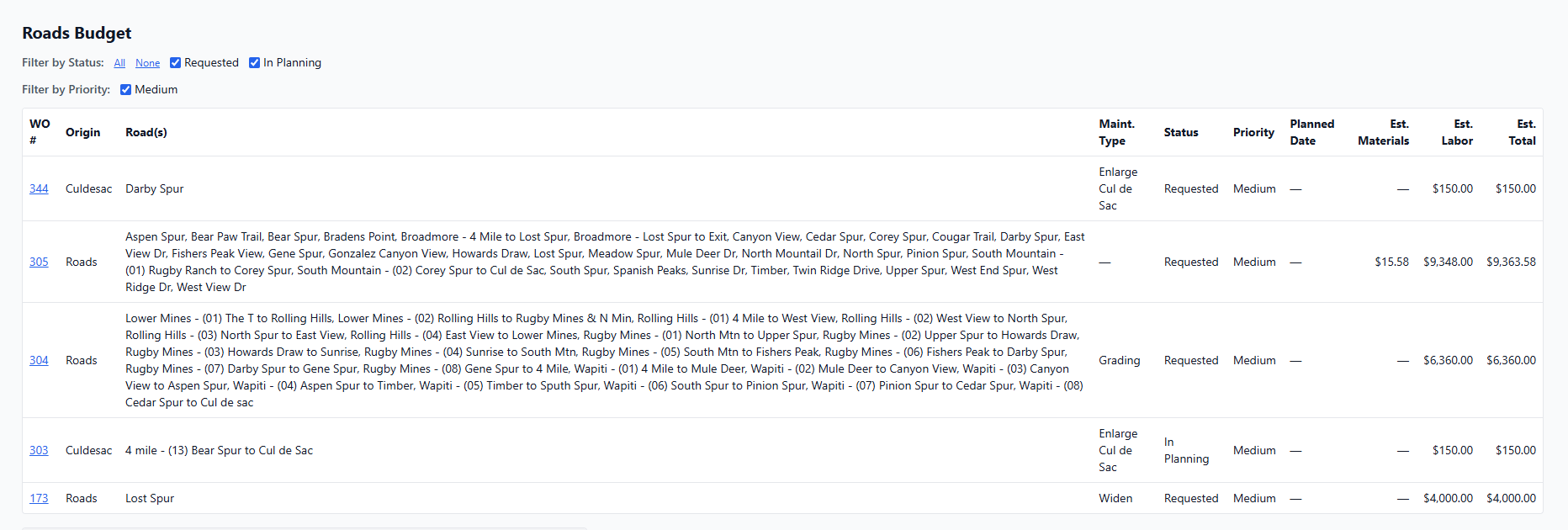
Budget Advisor — Proposed work costs against your remaining budget at a glance
GROOM budget advisor — proposed road maintenance costs compared against annual roads budget for rural POA
Budget Advisor — Detail View — Line-by-line breakdown of proposed vs. remaining budget
GROOM budget advisor detail — line-by-line breakdown of estimated work order costs versus remaining annual budget

Plan your work on the map or as a task list

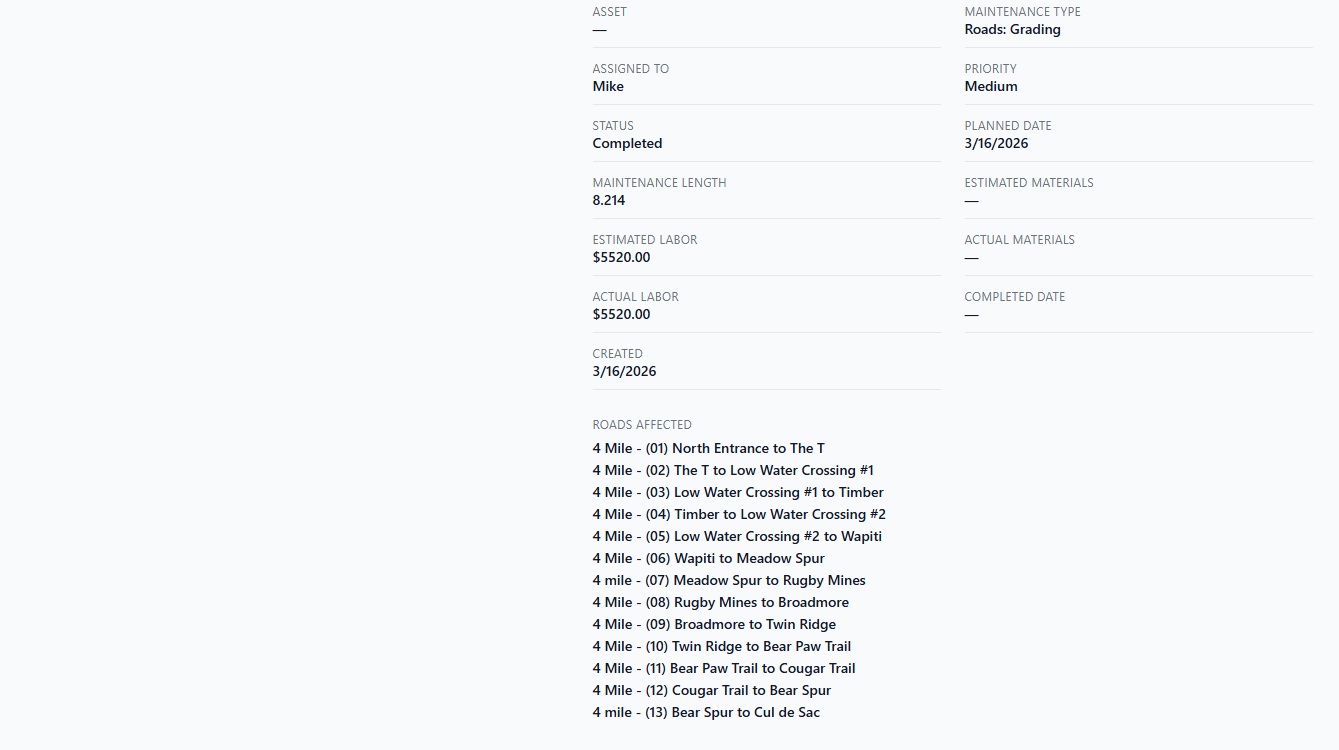
Generate work orders directly from the map or the list. Generate work orders for any specific asset or any group of assets. Assign, prioritize, attach before and after photos and invoices, map the route, and track to completion — all in one place.
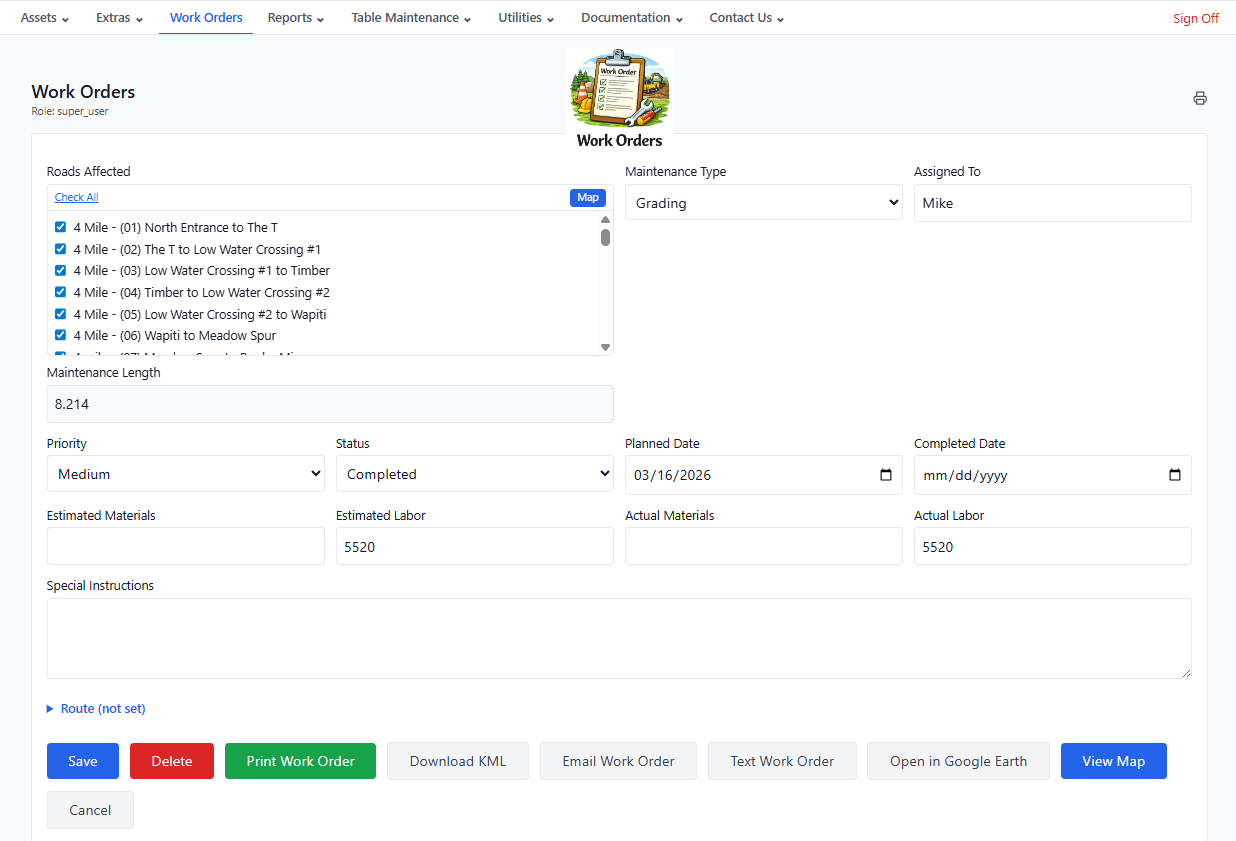
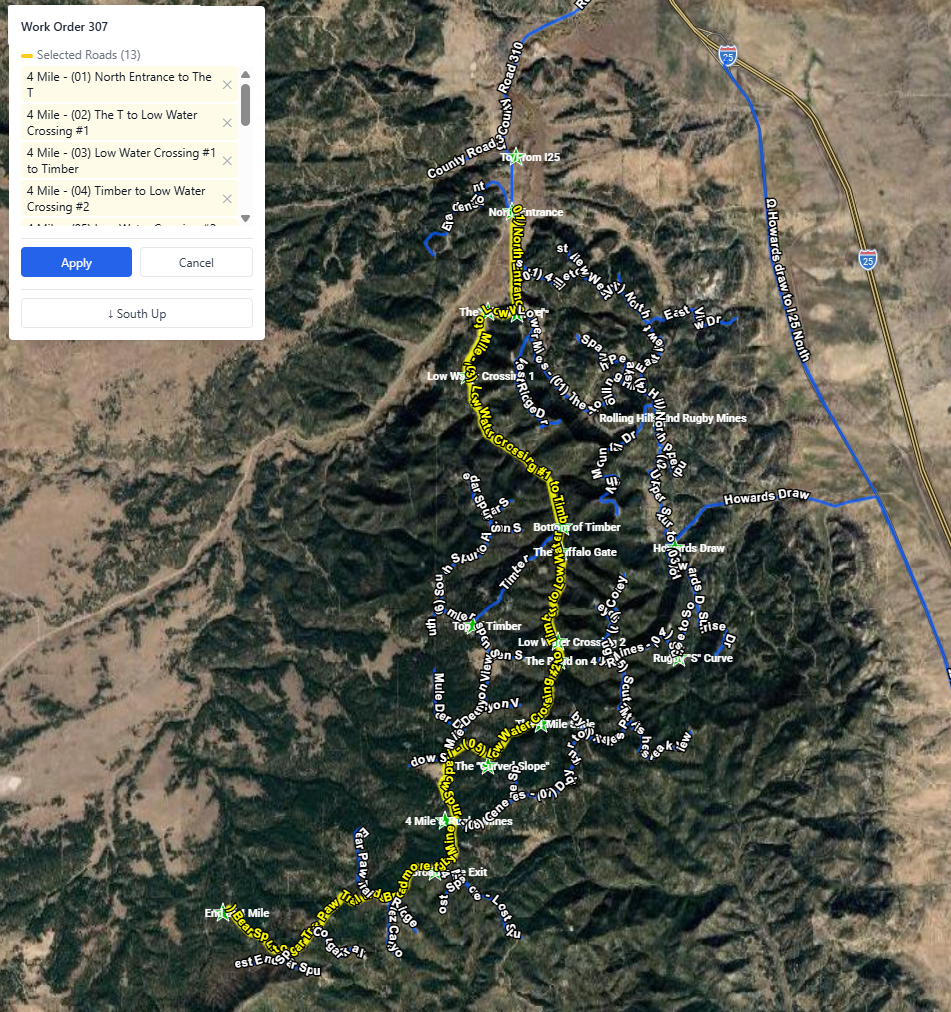
Work Order — Everything You Need From One Screen
Every work order puts the full action menu a single click away. From here your crew can:
  • Save or Delete the work order
  • Print Work Order — print-ready format for field crews
  • Download KML — route to Google Earth or any GPS device
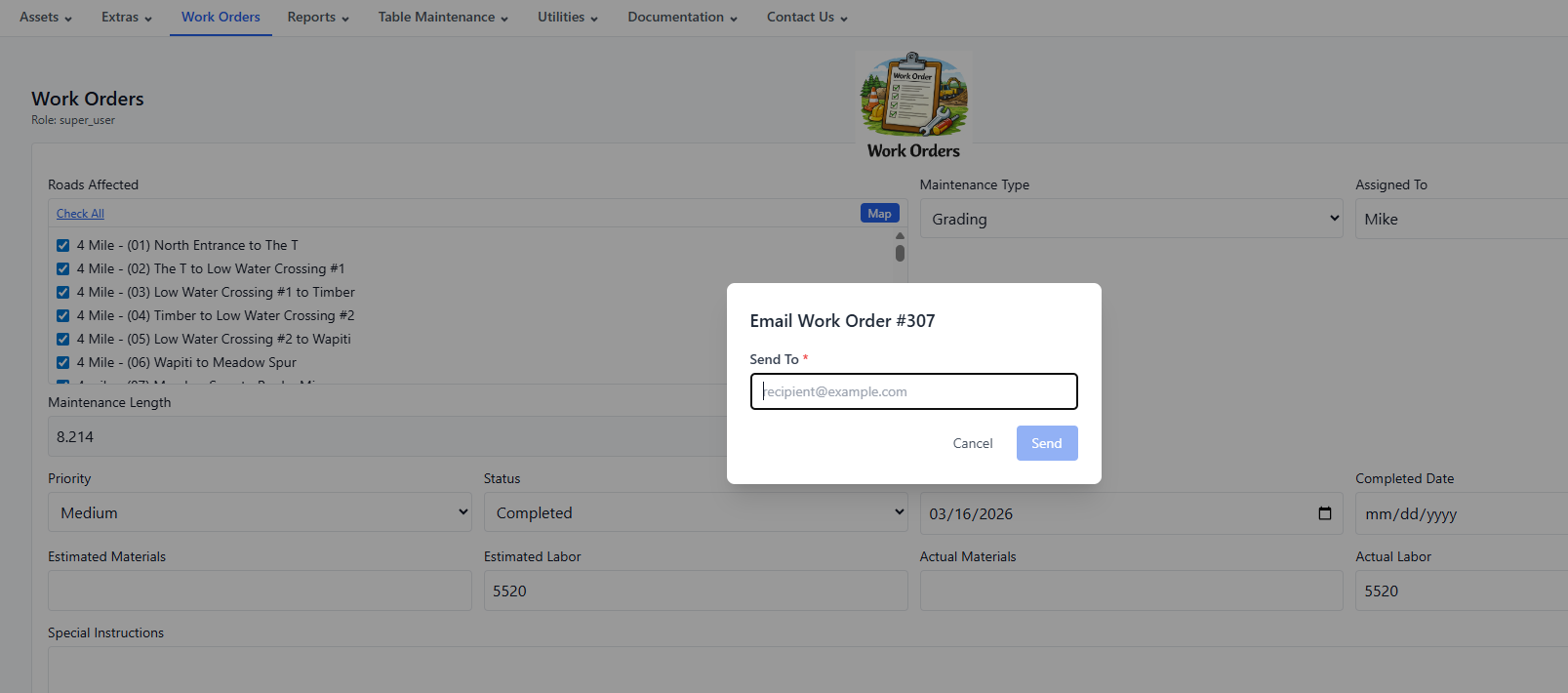
  • Email Work Order — deliver directly to your crew's inbox
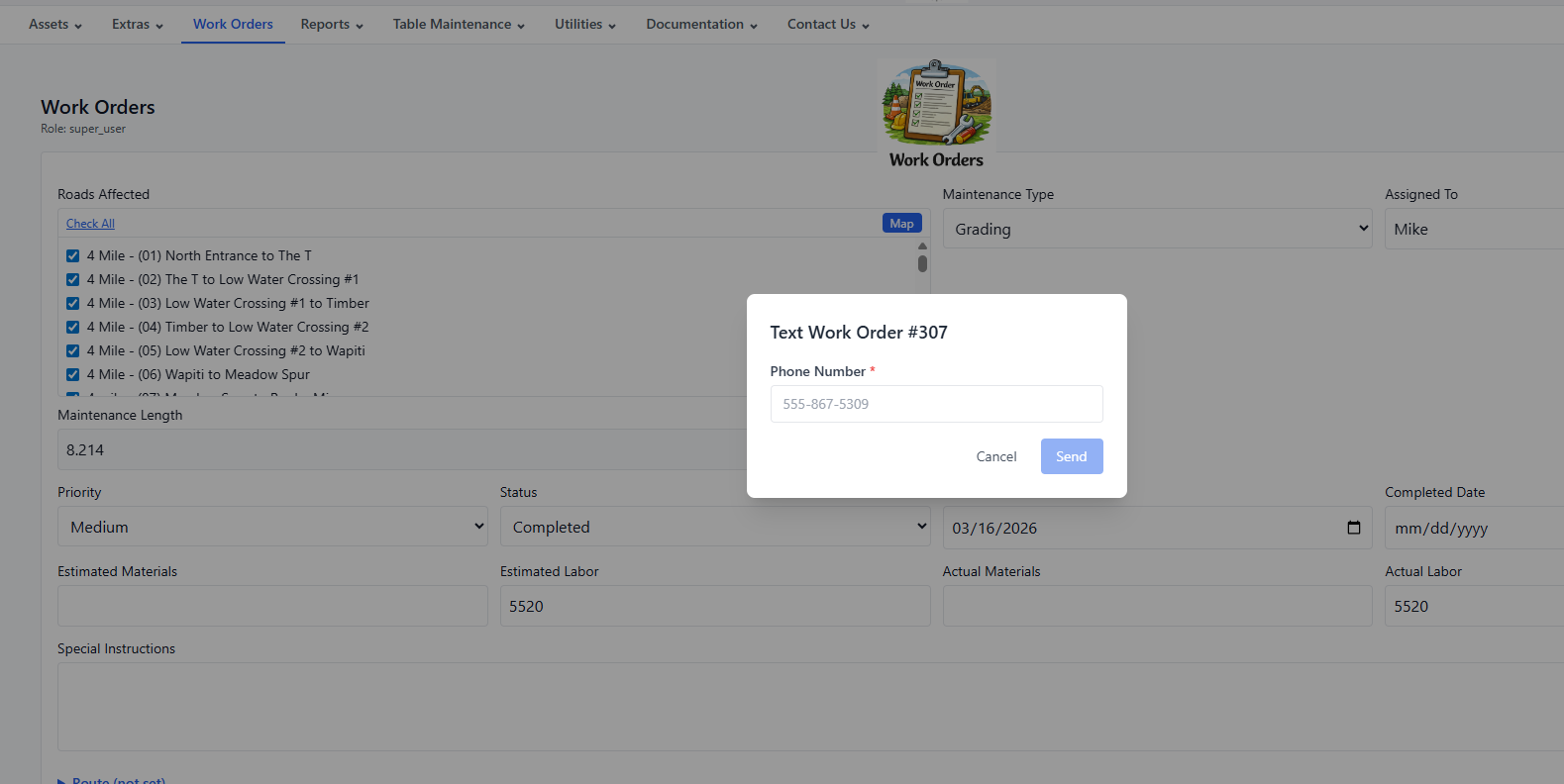
  • Text Work Order — send via SMS to any phone
  • Open in Google Earth — visualize the route on satellite imagery
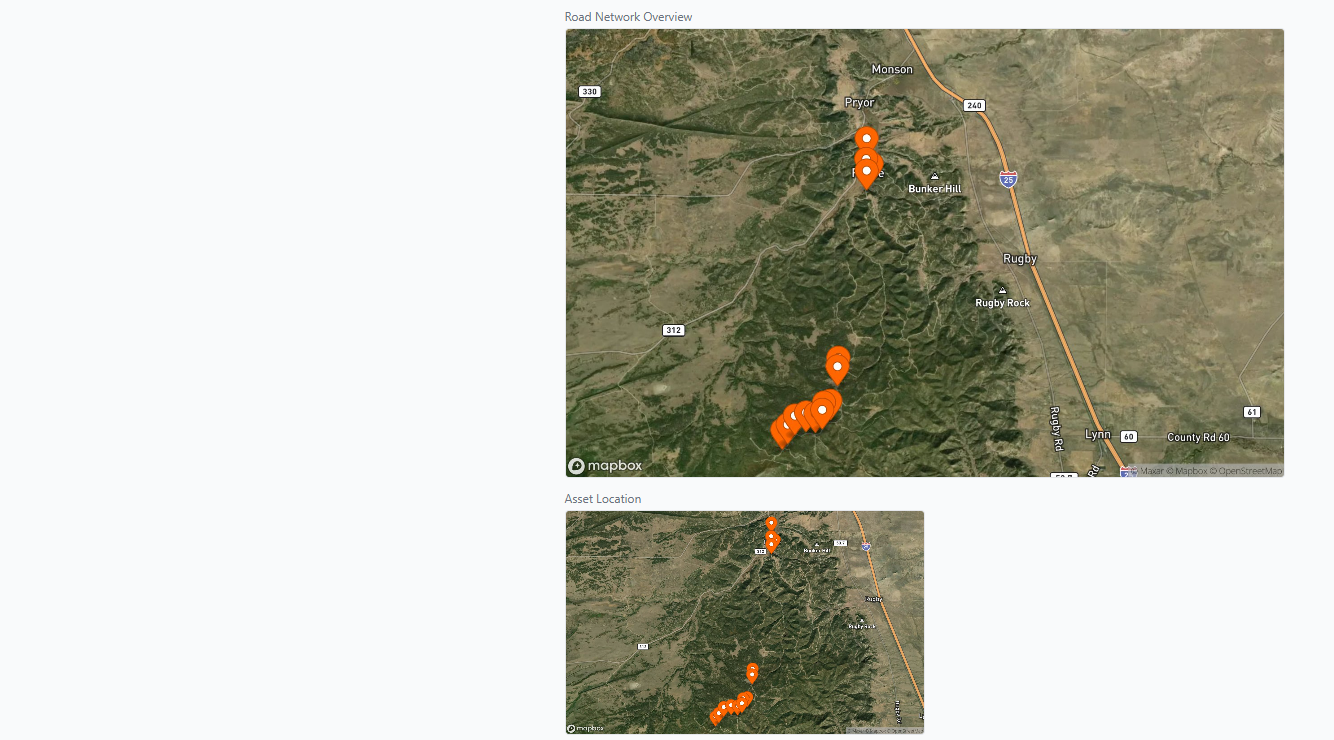
  • View Map — see the exact work location on the interactive map
GROOM work order — action menu for print, KML export to Google Earth, email, and SMS text delivery to field crew
Work Order — Shown on Map
GROOM work order — gravel road segment highlighted on interactive satellite map for field crew navigation
Work Order — Text / SMS
GROOM work order — SMS text message with job details sent directly to road maintenance crew
Work Order — Email
GROOM work order — email delivery with satellite maps and KML attachment sent to road maintenance crew
Work Order —Detail
GROOM printed work order — header with road name, asset details, priority, dates, and assigned crew GROOM printed work order — detail section with special instructions, cost fields, and before and after photos
Work Order —Satellite Map on Printed Work Order
GROOM printed work order — header with road name, asset details, priority, dates, and assigned crew GROOM printed work order — satellite map showing exact gravel road segment location for field crew

What Groom does for your community

Six areas where Groom replaces guesswork, paper, and tribal knowledge with a system that works.

Budget Accountability

  • Track estimated vs. actual costs on every work order so you always know where the money went.
  • Separate budget lines for roads, snowplow, EMC, and other programs — report to each funder independently.
  • The Financial Planning Assistant shows proposed work totals against remaining budget before you commit.
  • Walk into every board meeting with a clear, printed budget summary — not a spreadsheet.

Crew Efficiency

  • Generate a work order from any road segment in two clicks — assign, prioritize, and print for the field crew.
  • The offline Field Map guides your crew on site with live GPS — or export KML to any GPS device. No paper maps, no cell signal required.
  • Before/after photos and invoice attachments live on the work order, not buried in email.
  • Residents submit road concerns through a contact form that flows directly into your workflow.

Storm & Weather Response

  • Log a snow event, link it to affected roads, and auto-generate snowplow work orders in one workflow.
  • When the board asks what last week's storm cost, you have the exact answer — materials, labor, roads affected.
  • Real-time Red Flag Warning checks tied to your county — know before you send a crew into unsafe conditions.
  • Traffic and emergency incidents are documented and linked to the roads they affected.

Infrastructure Longevity

  • Culvert inventory with condition ratings and maintenance history — catch the $2K repair before it's a $40K replacement.
  • Track road segment condition over time — defensible data for capital planning and grant applications.
  • Ditches, grade points, blind curves, and overhead utilities are part of the asset record, not tribal knowledge.
  • Interactive map shows every asset and its current status at a glance.

Wildfire & Emergency Prep

  • Mitigation events track tree removal, brush clearing, and access work with GPS-accurate paths — documented proof for agency partners or reimbursement claims.
  • Fire lookout and helicopter landing site records give emergency responders your road network data when it matters.
  • Work orders generated automatically from mitigation events — nothing falls through the cracks after a fire season.

Accountability & Easy Adoption

  • Role-based access — board chairs view reports without touching live data; new hires log work without risk.
  • Full audit trail on every record. If a question comes up six months later, the answer is in the system.
  • Your road network will be created for you or imported from your current system on day one.
  • Multi-tenant — neighboring townships keep isolated data, or a county manages all districts in one account.

Up and Running in a Day — Your road network will be created for you or imported from your current system. Add your team, set their roles, and you're operational. No IT department is required. You choose month-to-month or discounted annual billing. You can cancel any time.

Get in touch

Questions about Groom? Ready to get started? We'll get back to you within one business day.